Mission Scheduler
v1.0.0Automatize a execução de missões no Jarvis ADE.
Instalar
npx -y jarvis-ade plugins add mission-scheduler/mission-schedulerRequer o Jarvis ADE instalado. Cole no terminal para instalar.
Capturas de tela
Sobre
Schedule Missions
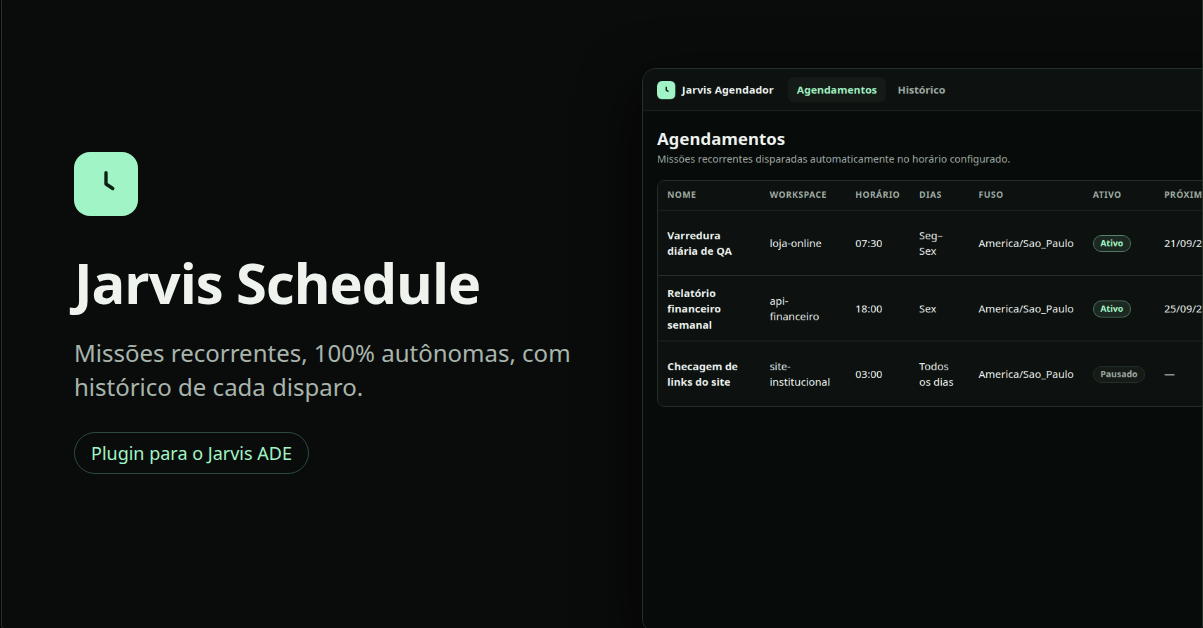
Automatize a execução de missões no Jarvis ADE.
Com este plugin, você pode agendar missões para serem executadas automaticamente em horários específicos ou criar rotinas recorrentes que rodam a cada X horas, dias ou em intervalos personalizados.
Ideal para transformar missões do Jarvis em processos autônomos e contínuos, como:
- Executar verificações periódicas no projeto
- Gerar relatórios diariamente
- Rodar testes e auditorias automaticamente
- Verificar issues, PRs ou dependências em intervalos definidos
- Executar rotinas de manutenção
- Automatizar qualquer missão repetitiva
Defina a missão, escolha quando ela deve rodar e deixe o Jarvis cuidar do resto.
Configurações que o plugin pede
Você preenche isto no ADE, em Plugins → Mission Scheduler → Configurações. Campos do tipo segredo ficam no cofre local.
| Campo | Tipo | Obrigatório | Descrição |
|---|---|---|---|
ADE SaaS Bridge URLbridgeUrl | texto | Não | Only for older ADE versions (ignored when ADE provides the Bridge automatically). Base URL of the local ADE SaaS Bridge, e.g. http://127.0.0.1:4820 |
ADE SaaS Bridge tokenbridgeToken | segredo | Não | Only for older ADE versions. ADE 0.4.0+ starts the Bridge for this plugin and hands over its address and token automatically, so leave this empty. Older ADE needs ADE_BRIDGE=1 and the Bridge token here. |
Dashboard portdashboardPort | número | Não | Local port (127.0.0.1 only) where the schedule dashboard is served |
Dashboard tokendashboardToken | segredo | Não | Optional. Only needed to open the dashboard in a regular browser (you type it on the login screen; at least 12 characters). Inside ADE the Agendamentos screen signs in by itself. It protects a dashboard that can start real missions. |
Default timezonedefaultTimezone | texto | Não | IANA timezone proposed for new schedules, e.g. America/Sao_Paulo |
History retention (days)historyRetentionDays | número | Não | How many days of dispatch history to keep before pruning |
Scheduler enabledenabled | sim/não | Não | Master switch. When off, no schedule fires automatically (the dashboard stays available and manual runs still work). |
Avaliações
—
Sem avaliações ainda
Já usou este plugin?
Entre na sua conta para deixar uma avaliação e ajudar outras pessoas a escolher.